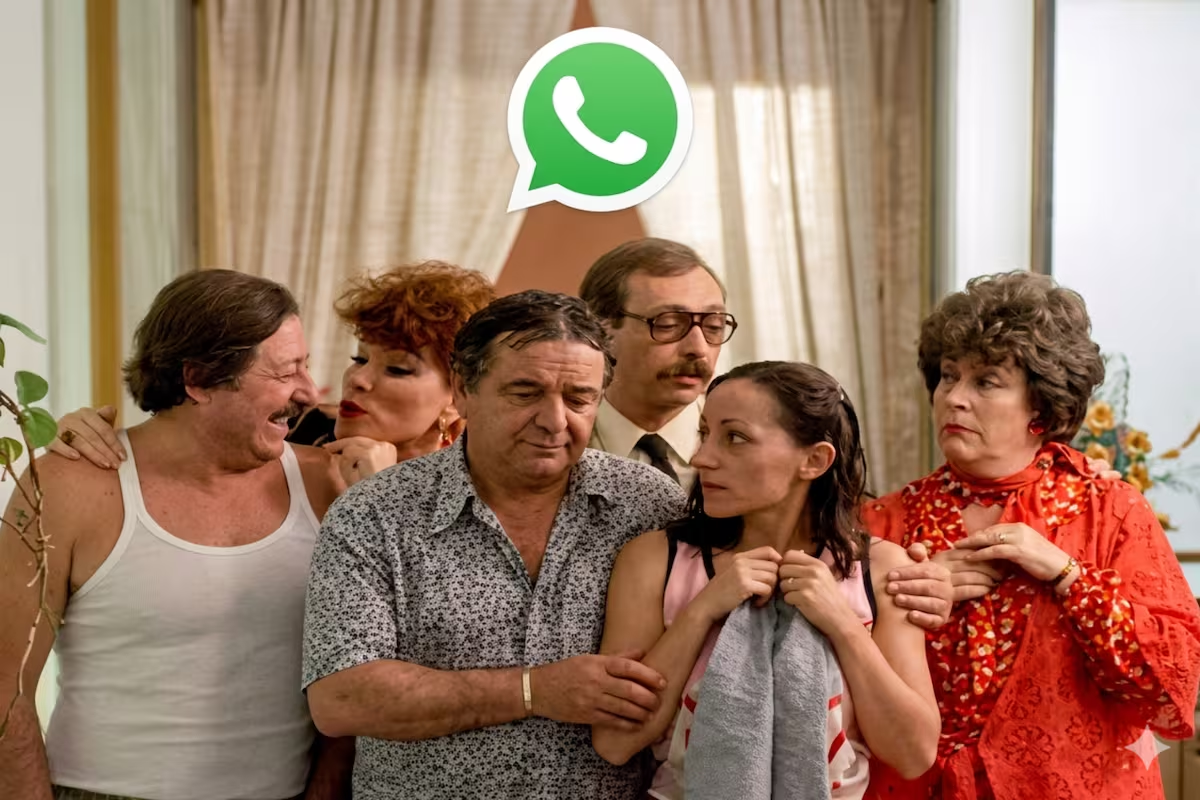
There are people who want to activate the “Waiting for the float mode” in his WhatsApp with an image alluding to this film. This is a visual change in which the logo of the company is replaced. app for an image that refers to it.
Waiting for the float It is a classic of Argentine comedy. This is a 1985 film directed by Alejandro Doriabased on the play by Jacob Langsnerwhich satirizes family dynamics with dark humor. It has a stellar cast with China Zorrilla, Luis Brandoni, Julio De Grazia, Betiana Blum, Darío Grandinettiamong others. The most endearing character is Mom Coraperformed by Antonio Gasalla. For fans of this national cinema classic, they can now include some of its funniest scenes in the WhatsApp logo from your cell phone.

It must be clarified that this is not an official version of the messaging service, but rather a aesthetic change that does not modify the internal functionalities of the platform. Therefore, this “mode” It only reaches the app iconwhich can be edited through another program called Nova Launcher.
As its name indicates, this system belongs to the genus known as launchers (or “launchers” in Spanish), which allow you to change the main interface of the phone and customize different aspects such as font styles, wallpapers, widgets and icon logos. In this way, it is possible to visually have an individualized design of the different apps that are already downloaded on the devices.
In order to prepare the “Waiting for the float mode”, users must have an image on hand, obtained on the Internet or generated through artificial intelligence, which they can select from the Nova Launcher to be your new custom WhatsApp icon.
It should be noted that these are apps from third partiesso they do not have the guarantee of the Target companywhich is responsible for managing WhatsApp, Facebook and Instagram. This is why, as mentioned, the only change that can be made to WhatsApp from the Nova Launcher is to the logo: whether its color, shape or size.
The first requirement is to obtain a suitable image of the film, ideally in PNG format and with transparent background to achieve optimal visual integration. Users can download an existing image from the internet or alternatively create their own using advanced artificial intelligence tools. It is essential to ensure that the selected image is correctly saved in the phone gallery before continuing with the next steps.
This application is an essential element to be able to modify the icons of the Android operating system. The process begins by accessing the application store Google Play Store and downloading “Nova Launcher“. Once the download is complete, you must open the application and select it as the default phone launcher. This action grants the necessary permissions so that the app can alter the design and icons present on the device’s main screen, including WhatsApp.
With Nova Launcher already correctly configured, the next step is apply selected image to messaging app shortcut. You must return to the phone’s home screen, locate the whatsapp icon and hold it down for approximately two seconds. In the pop-up menu that will appear, you must select the option “Edit“. Subsequently, click again on the logo shown in the editing window. This displays a new menu where you will choose “Applications” and then “Photos” (or “Gallery”). Finally, you search for the image of Waiting for the float saved, adjust its size according to the user’s personal preference and press “Ready” to confirm the modification.
Once these detailed steps are completed, the new icon incorporating any character from the movie will effectively replace the original WhatsApp logo on the main screen of the cell phone.
Applications like Nova Launcher they receive the name of launchers or launchers. Its main function is to allow users to modify the main interface of their phone. They offer extensive customization options beyond those that come from the factory with the Android operating system.
With these tools, It is possible to change font styles, wallpapers, the organization of widgets and application logos. A launcher enables a device Samsungfor example, acquires the visual appearance of a Motorola or even from a iPhone.
The structure of most launchers is made up of three fundamental elements. First, the desktop screenswhere the icons are located and widgets. Second, a bottom bar or dockwhich hosts the most frequently used applications. Third, a app drawerwhich groups all the tools installed on the device.
It is important to highlight that Nova Launcher It is a third party application. It is not supported or guaranteed by Metathe company that owns WhatsApp, Facebook and Instagram.
If a person wants to restore the original WhatsApp logo, the process is very simple. It is only needed uninstall the app Nova Launcher from the Play Store or phone settings.
By removing the launcher, all visual modifications applied to the interface disappear automatically. The operating system returns to its factory settings or to the launcher that was previously set.